Circle.io

Employee Experience Platform

Yolo Group, Estonia

Responsive Web App

Circle.io

Employee Experience Platform

Yolo Group, Estonia

Responsive Web App

Circle.io

Employee Experience Platform

Yolo Group, Estonia

Responsive Web App

Challange

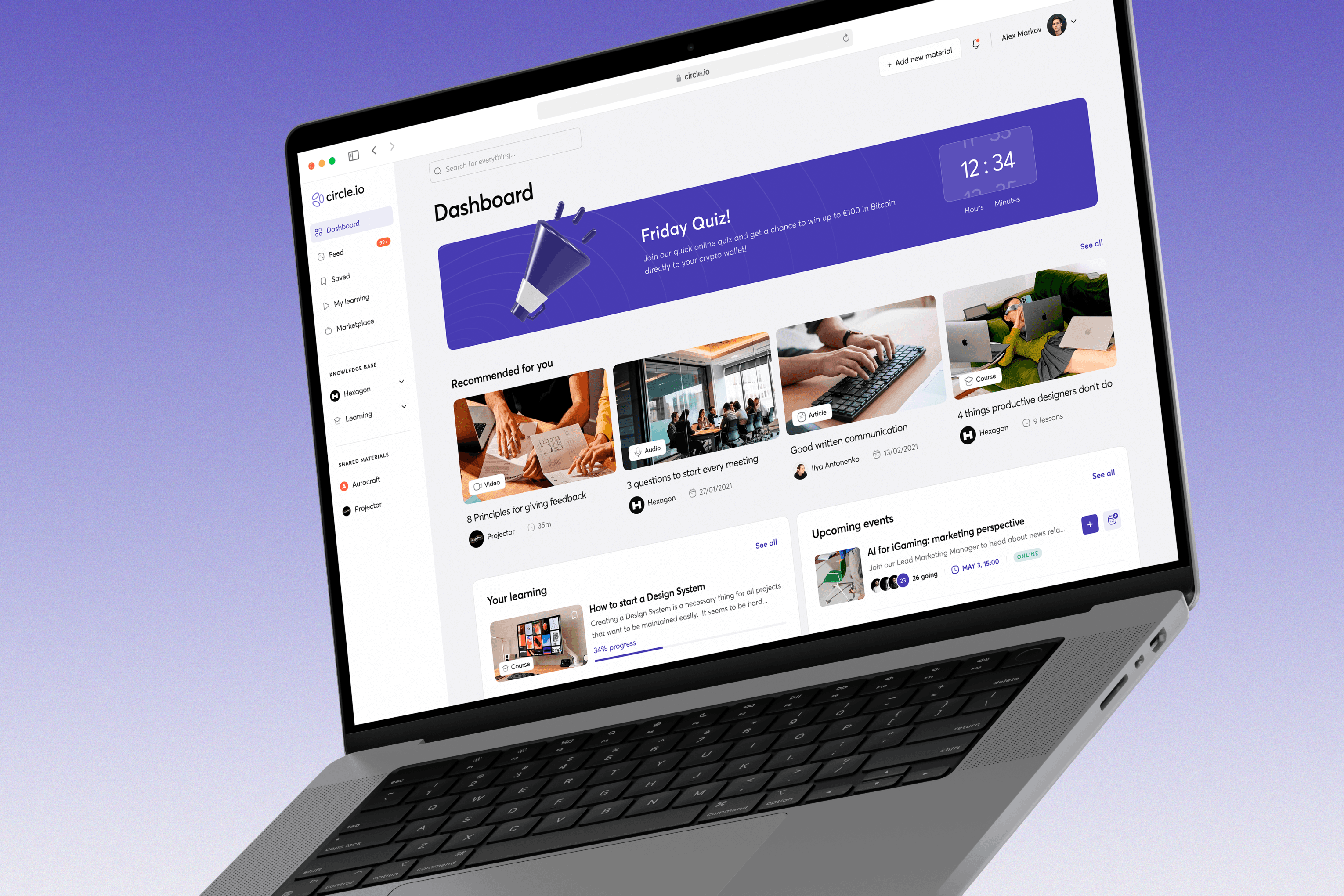
An AI-based knowledge base and training tool for companies and their coworkers made to amplify the corporate culture of knowledge sharing and professional learning. It’s like the multi-functional social network made up of tools for databases and documentation management, media, and learning experience, which allows creating and storing a variety of content, including courses for internal use.

My role was to lead the design process, take ownership of the product, shape the product vision, ideate and design core features to deliver an exceptional user experience and design quality.

Services

Product Design

UX Research

User Interview

User Testing

Responsive Design

Wireframing

Prototyping

Design Systems

Discovery & UX Research

Stakeholder interviews provided an initial briefing on the project and clarified the client’s vision for the final product.

User interviews and testing helped uncover users’ thoughts, feelings, pain points, and real behaviors within the current system.

A competitor analysis was conducted to understand how similar products address the same problems and what features they offer.

main goals

Increase employees’ engagement in learning

Increase employees’ engagement in learning

Provide an experience personalized to each user’s role and interests

Provide an experience personalized to each user’s role and interests

Consolidate routine HR tasks into a single system

Consolidate routine HR tasks into a single system

Motivate users consume and create content

Motivate users consume and create content

problems to solve

The current system has an inconvenient interface, making it hard for users to find relevant materials

The current system has an inconvenient interface, making it hard for users to find relevant materials

Navigation is confusing, causing users to get lost in sections and leave the site

Navigation is confusing, causing users to get lost in sections and leave the site

Users have little interest in viewing the available materials

Users have little interest in viewing the available materials

There is a general lack of understanding about how and why the system should be used

There is a general lack of understanding about how and why the system should be used

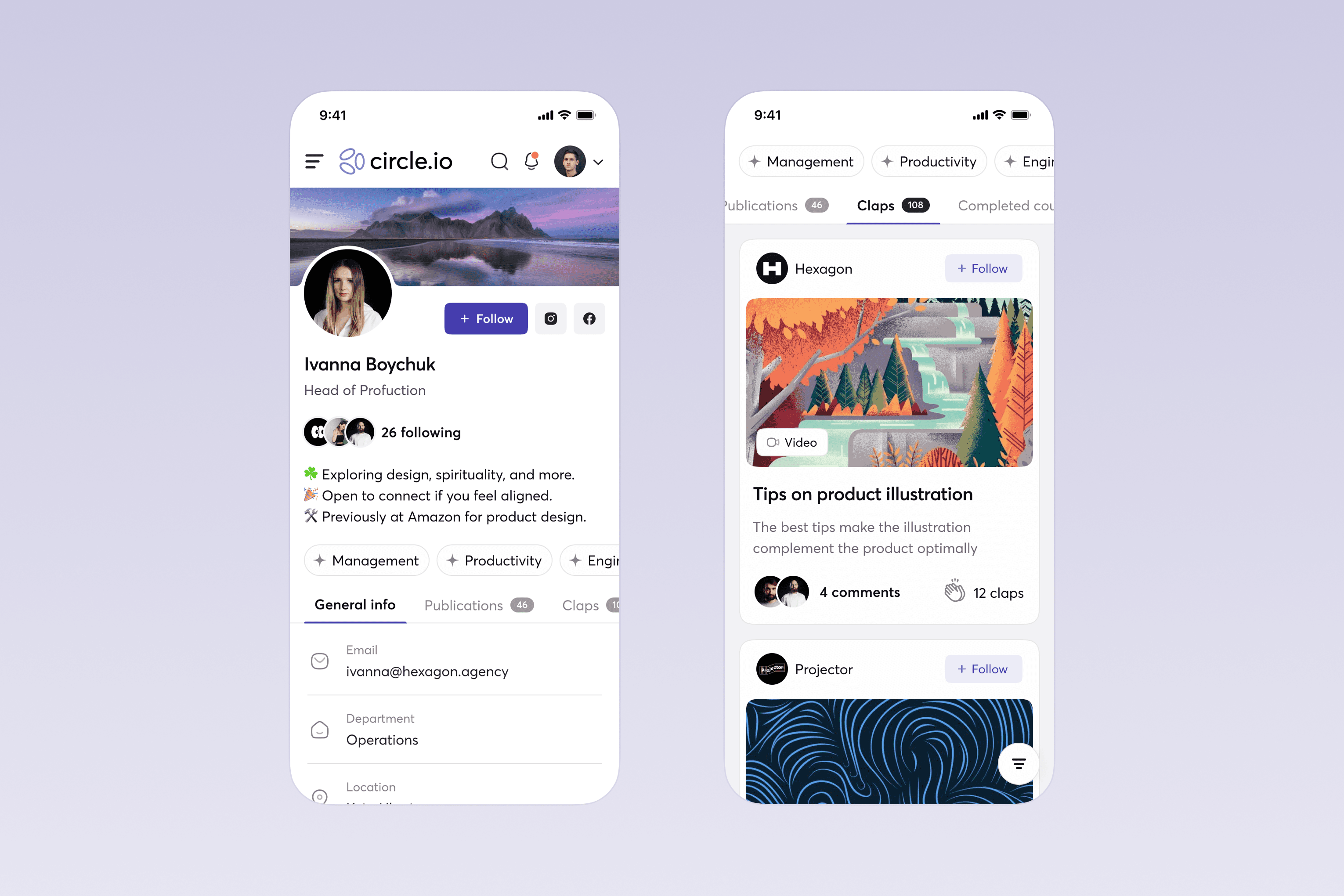
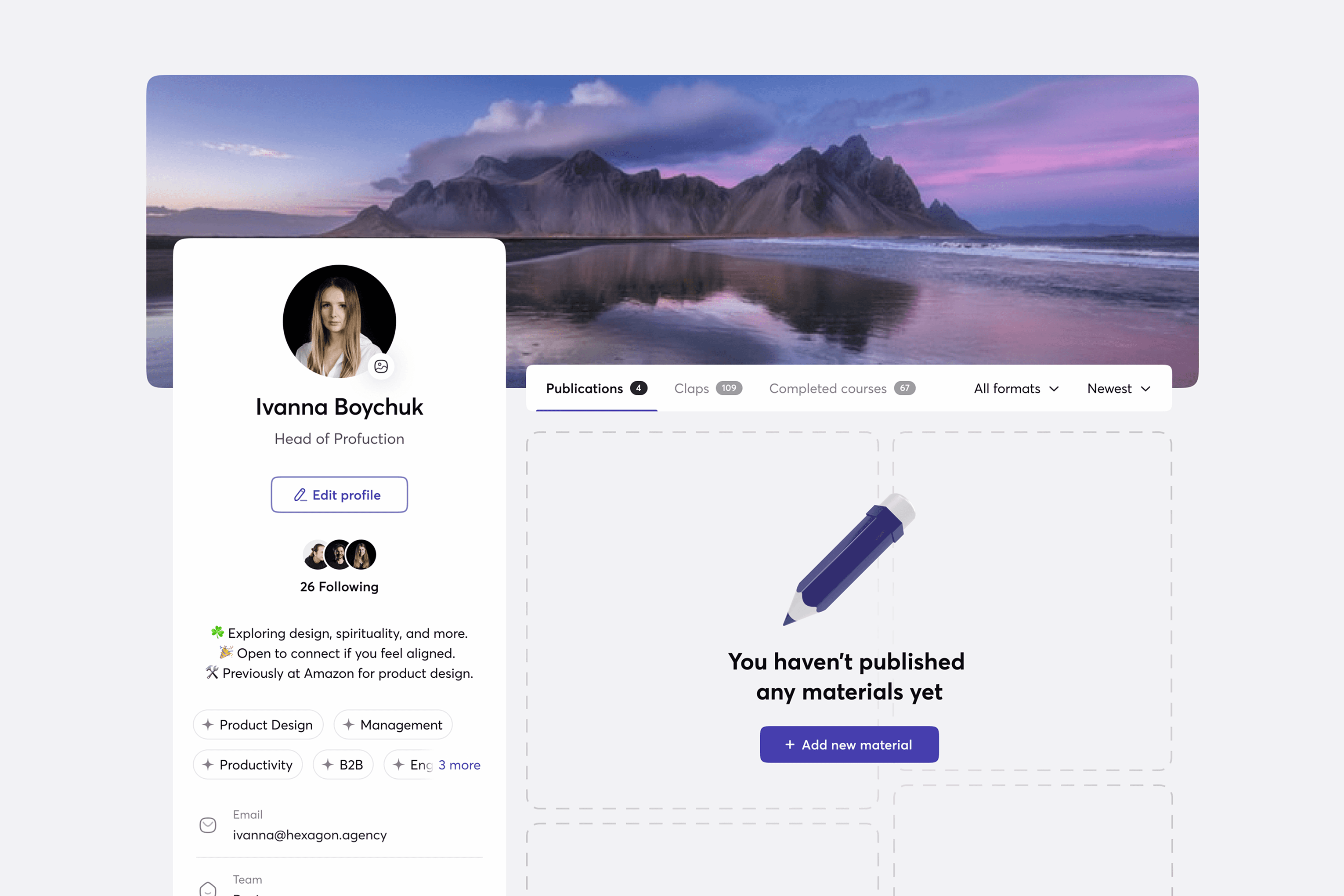
Users don’t have quick access to information about their colleagues

Users don’t have quick access to information about their colleagues

After difining goals and problems we created Features Scope, Information Architecture, Main Use Cases and Wireframes.
Design System

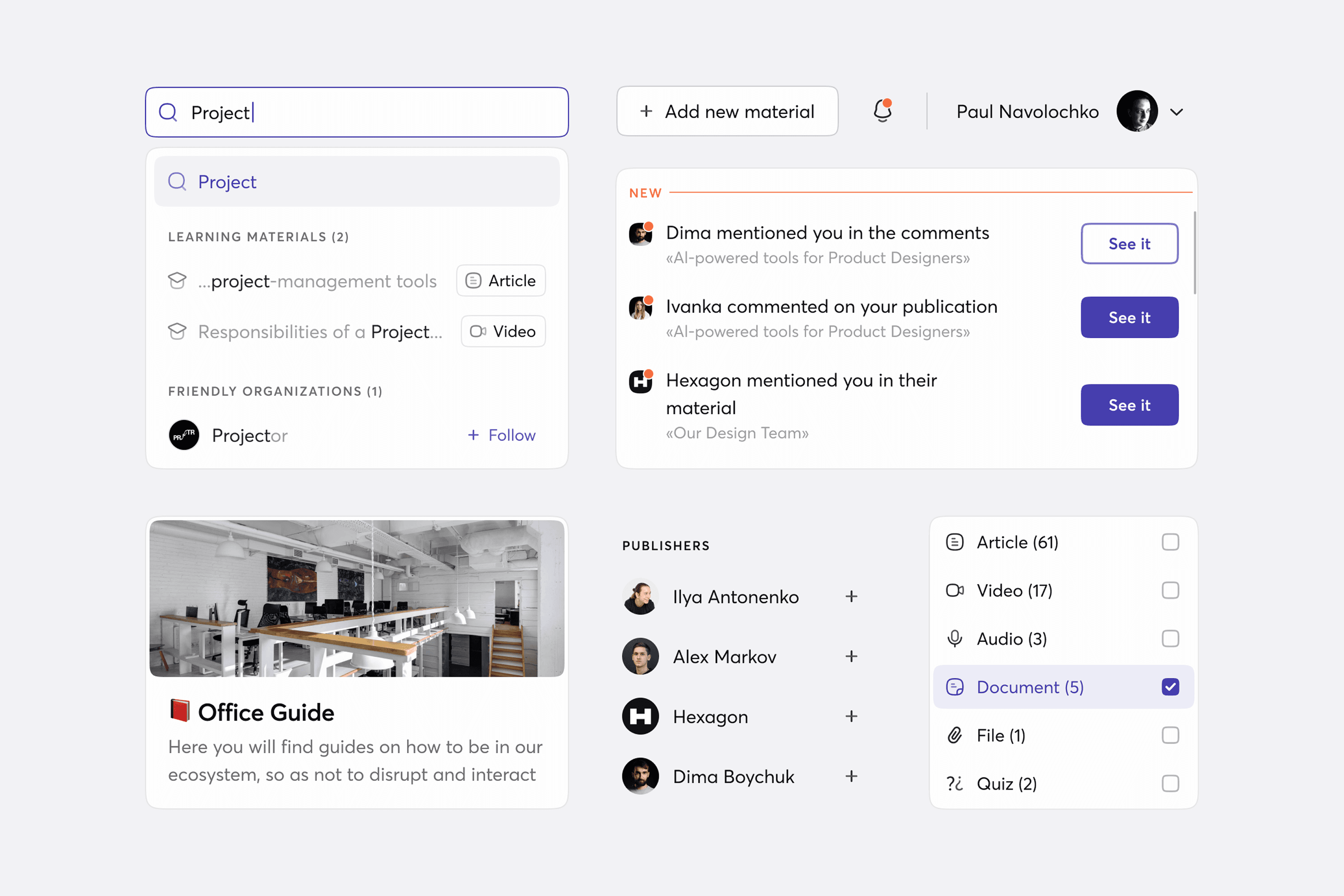
The Yolo Group product identity and their own Moon Design System served as the foundation. In addition, we created a new, unique logo and an extensive UI Kit based on the design system's core elements.

Design System

The Yolo Group product identity and their own Moon Design System served as the foundation. In addition, we created a new, unique logo and an extensive UI Kit based on the design system's core elements.

Personalised Employee Experience

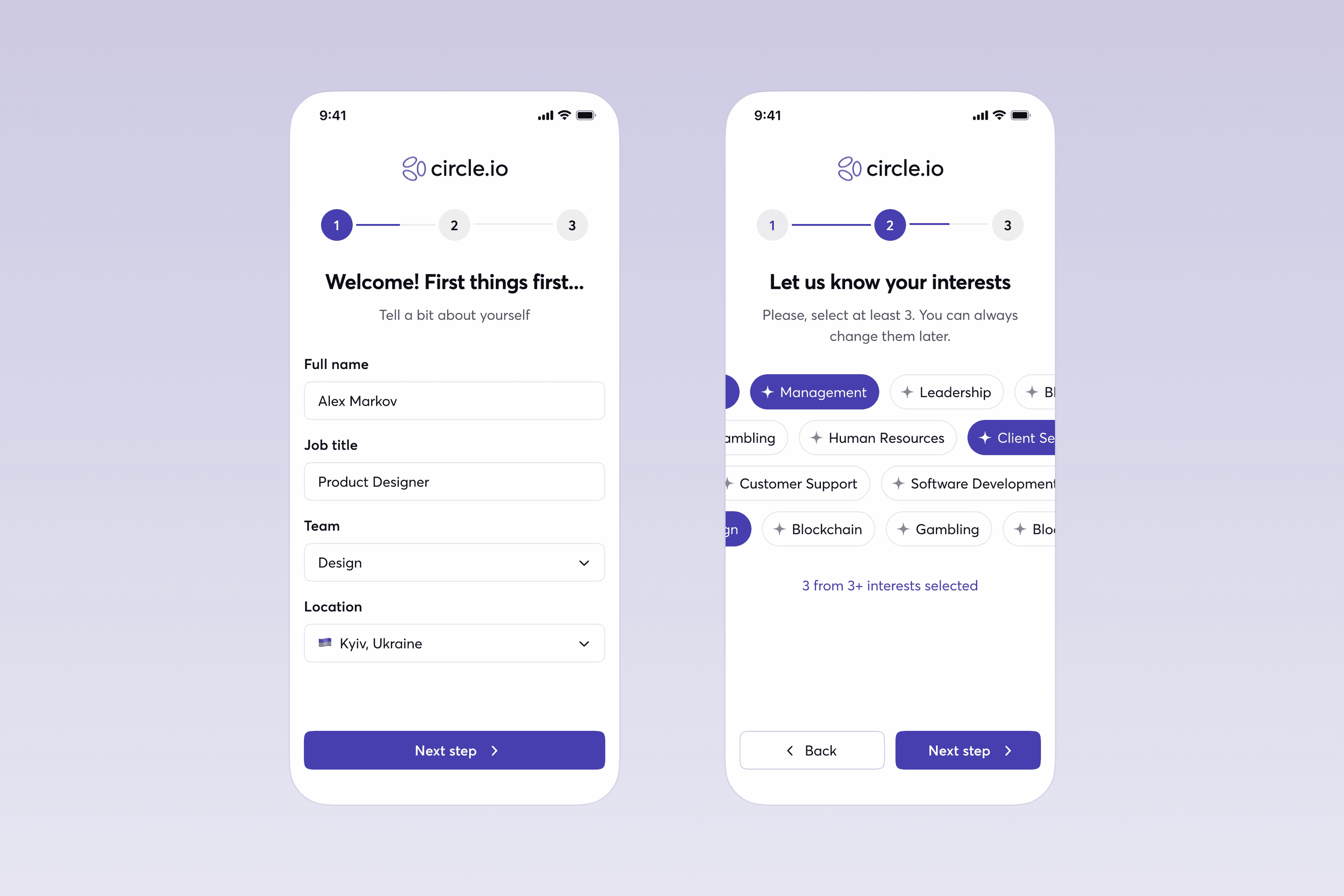
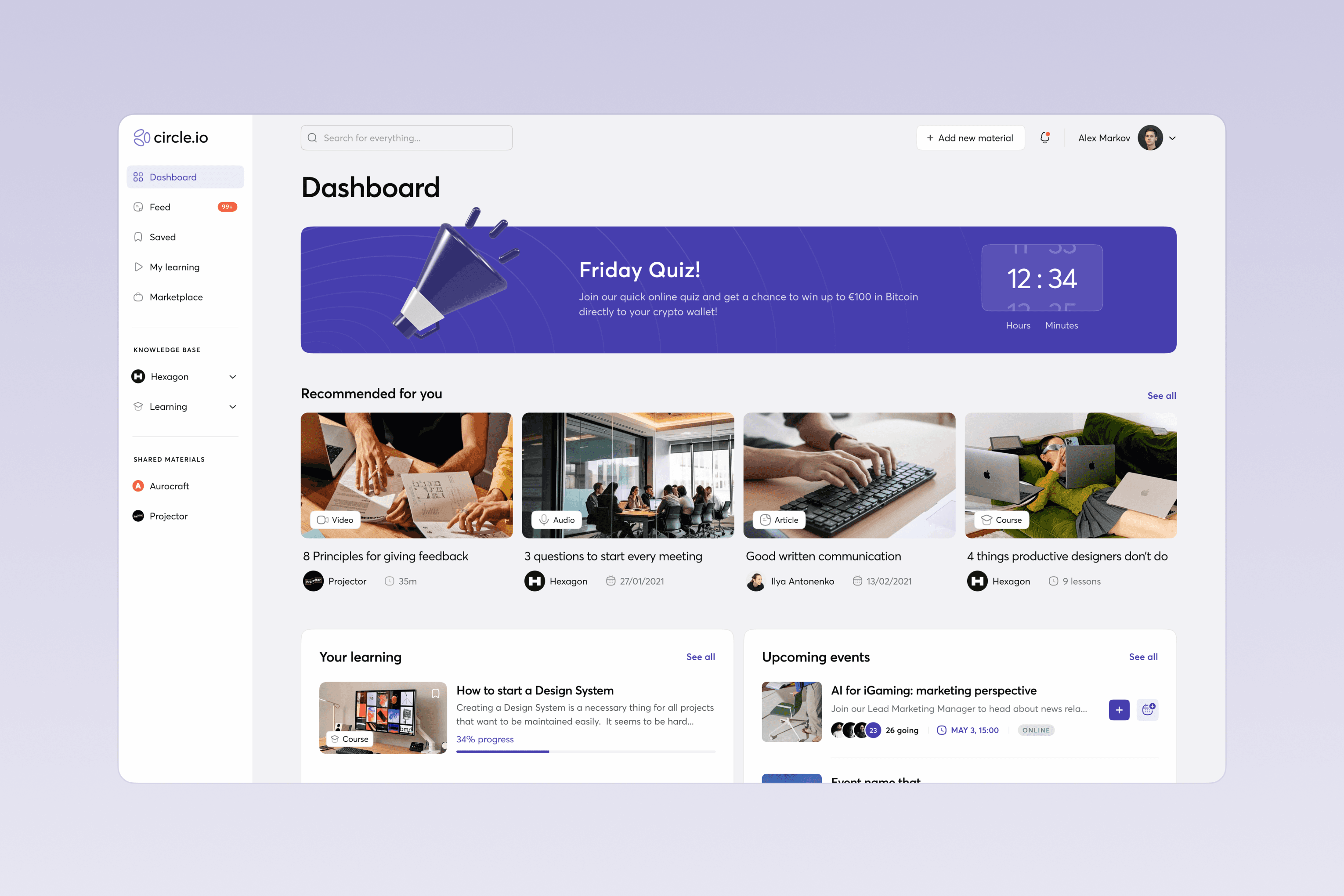
Similar to Netflix and other services with dynamic user recommendation systems, we show users only content that matches their specialization and interests, which significantly increases interest and engagement in company news and learning. Recommendations are based on the employee's specialization, interests they indicate during registration, and their interaction history with publications.

Personalised Employee Experience

Similar to Netflix and other services with dynamic user recommendation systems, we show users only content that matches their specialization and interests, which significantly increases interest and engagement in company news and learning. Recommendations are based on the employee's specialization, interests they indicate during registration, and their interaction history with publications.

Articles, Courses And Knowledge Base

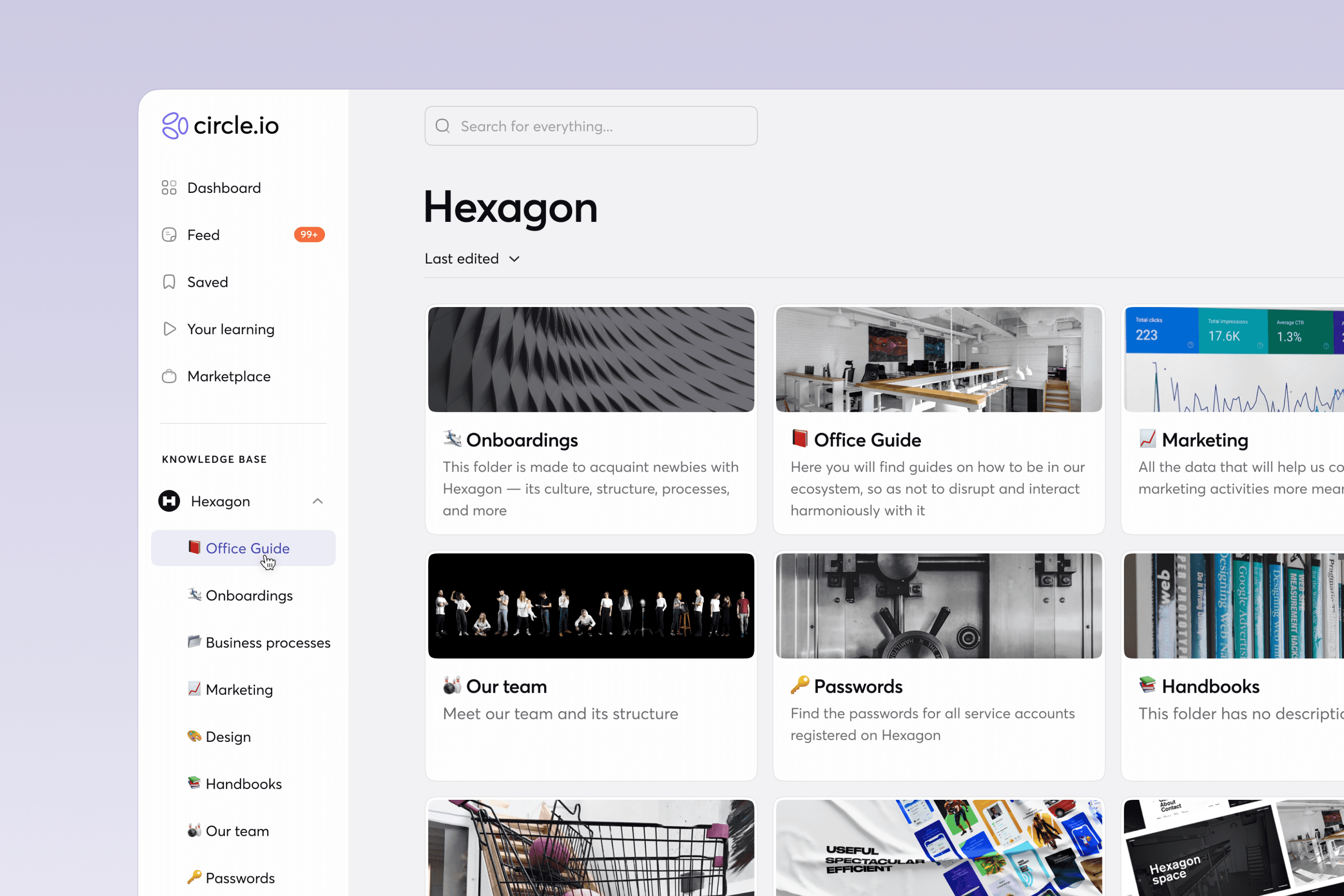
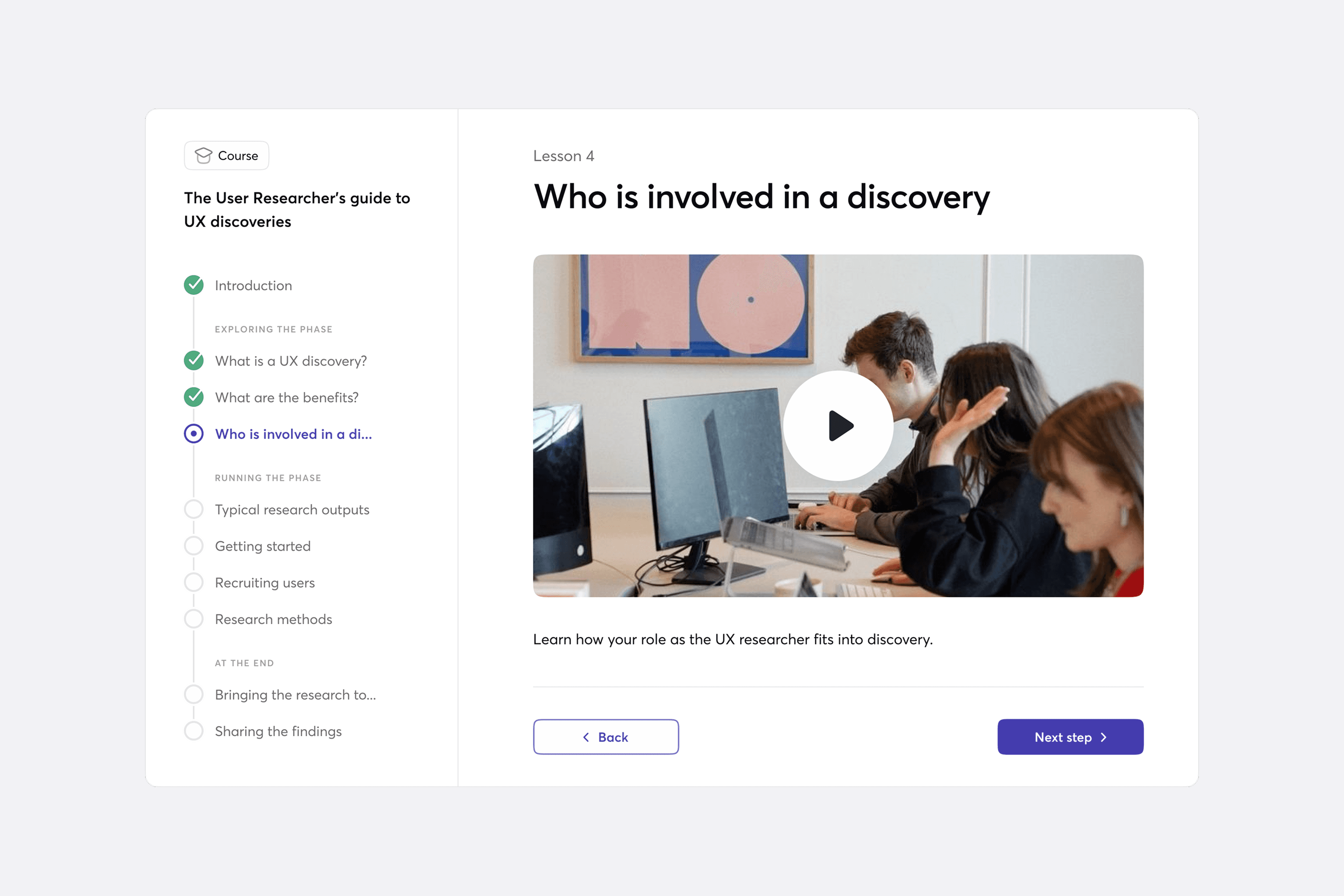
The system offers a flexible learning and knowledge base built around two content types: standalone materials (articles, videos, audio, documents, files, quizzes) and multi-step courses. Standalone items can be shared individually or grouped into collections, while courses combine several content pages into a structured flow for trainings, onboarding, or checklists. All materials can be organized into curated collections within the knowledge base, where employees can access information about the company, its processes, and its people.

Articles, Courses And Knowledge Base

The system offers a flexible learning and knowledge base built around two content types: standalone materials (articles, videos, audio, documents, files, quizzes) and multi-step courses. Standalone items can be shared individually or grouped into collections, while courses combine several content pages into a structured flow for trainings, onboarding, or checklists. All materials can be organized into curated collections within the knowledge base, where employees can access information about the company, its processes, and its people.

Learning With Colleagues

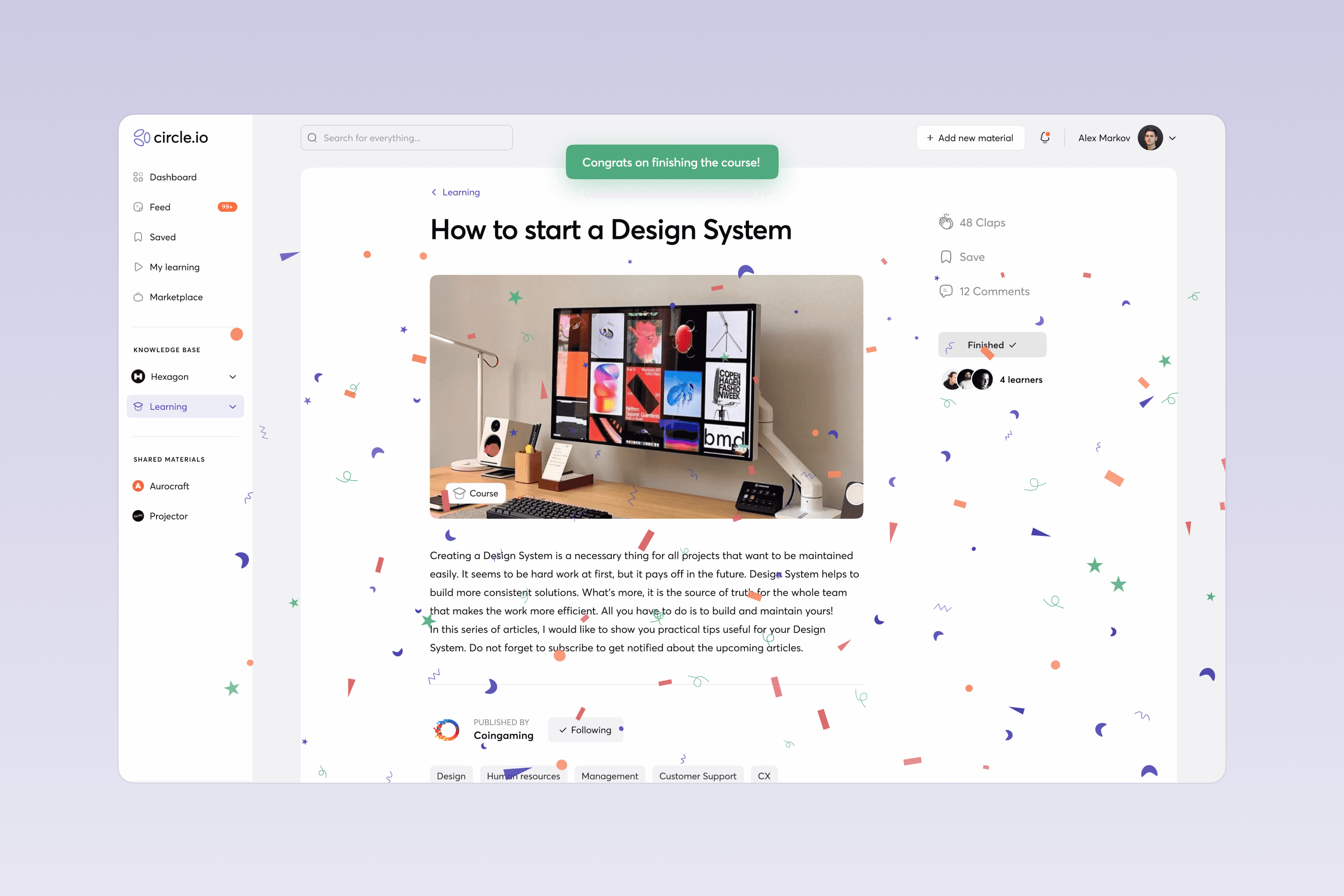
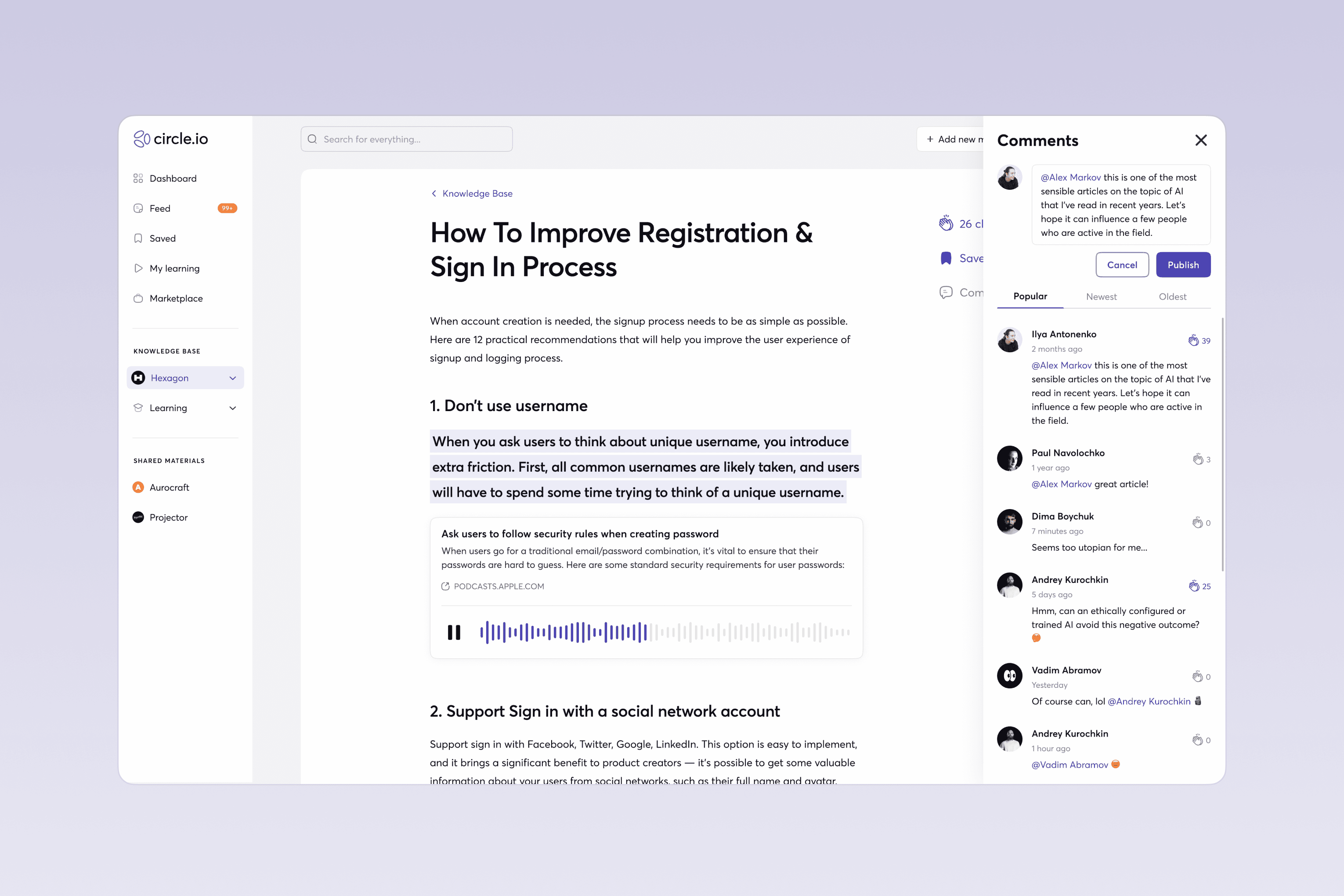
Users can give and receive feedback on their publications by leaving claps, writing comments, and viewing their colleagues’ activity. This interaction increases engagement with the content, while social approval and curiosity motivate users to create their own materials.

Learning With Colleagues

Users can give and receive feedback on their publications by leaving claps, writing comments, and viewing their colleagues’ activity. This interaction increases engagement with the content, while social approval and curiosity motivate users to create their own materials.

Testing & Iterating

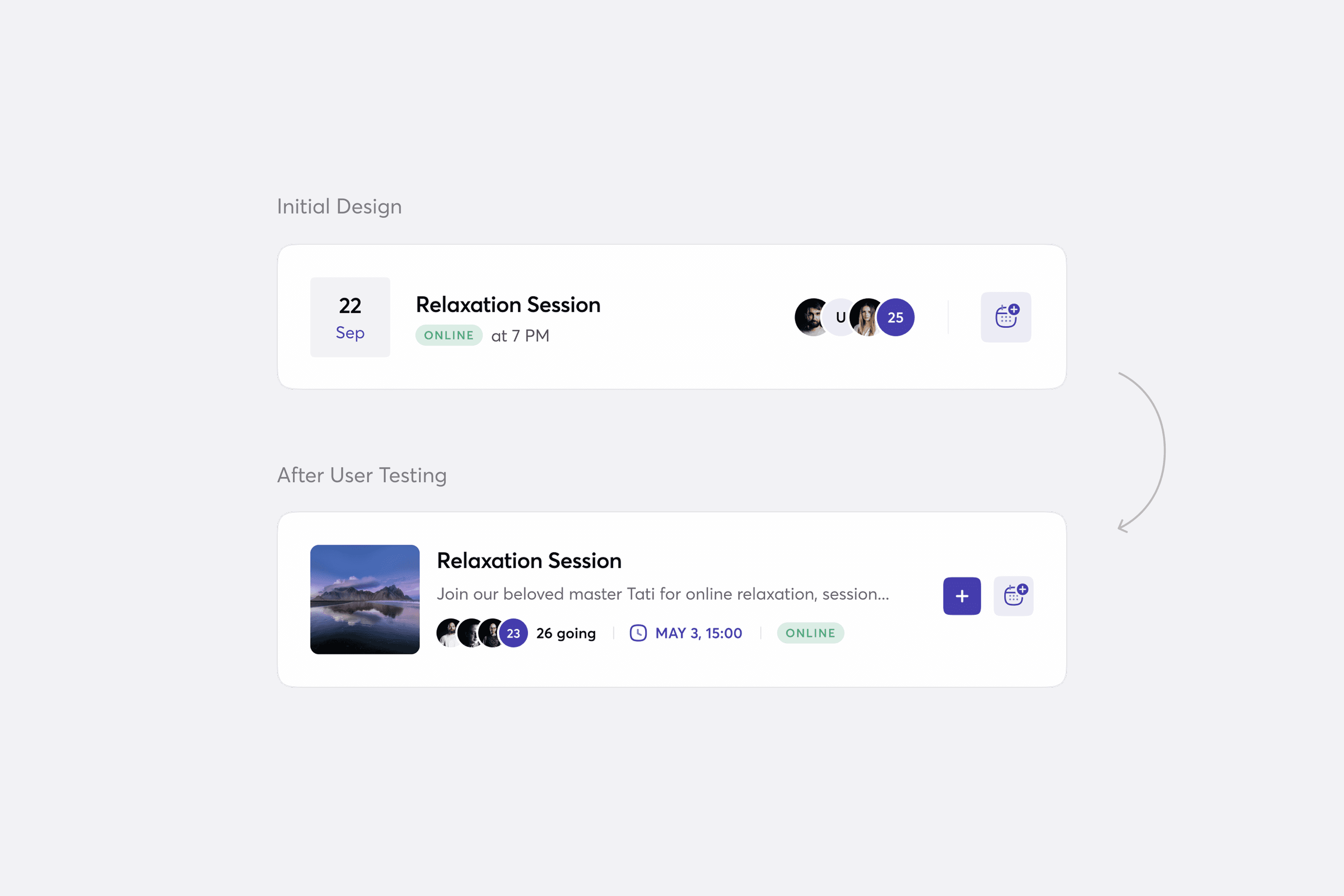
For each use case, we created clickable prototypes in Figma and asked users to complete specific tasks. The testing revealed several pain points in the designs, which we refined and tested again. One example was the layout of the events block: users struggled to understand the information and tended to ignore it entirely. In a later iteration, we redesigned the event preview to make it clearer and more informative.

Testing & Iterating

For each use case, we created clickable prototypes in Figma and asked users to complete specific tasks. The testing revealed several pain points in the designs, which we refined and tested again. One example was the layout of the events block: users struggled to understand the information and tended to ignore it entirely. In a later iteration, we redesigned the event preview to make it clearer and more informative.

Outcome

A significant increase in employee engagement with courses, learning materials, and content creation

A significant increase in employee engagement with courses, learning materials, and content creation

The HR department experienced a noticeable reduction in employee requests for help finding information, as users can now easily locate everything on their own

The HR department experienced a noticeable reduction in employee requests for help finding information, as users can now easily locate everything on their own

Seamlessly transition from the old system to a new one

Seamlessly transition from the old system to a new one

A higher rate of course start & completion

A higher rate of course start & completion

Exclusively positive feedback from users about working with the new system

Exclusively positive feedback from users about working with the new system